Multi-Case Runner
Example Cases: pv_ibr.kcf, cap_sw.kcf
The Multi-Case Runner helps you do two things:
Set up Case Groups to modify your simulation case. For instance, you can set up multiple cases to modify a switch to apply a single phase fault in one Case Group, and a three phase fault in a different case group.
Run all Case Groups simultaneously.
This feature works by modifying the elements within the
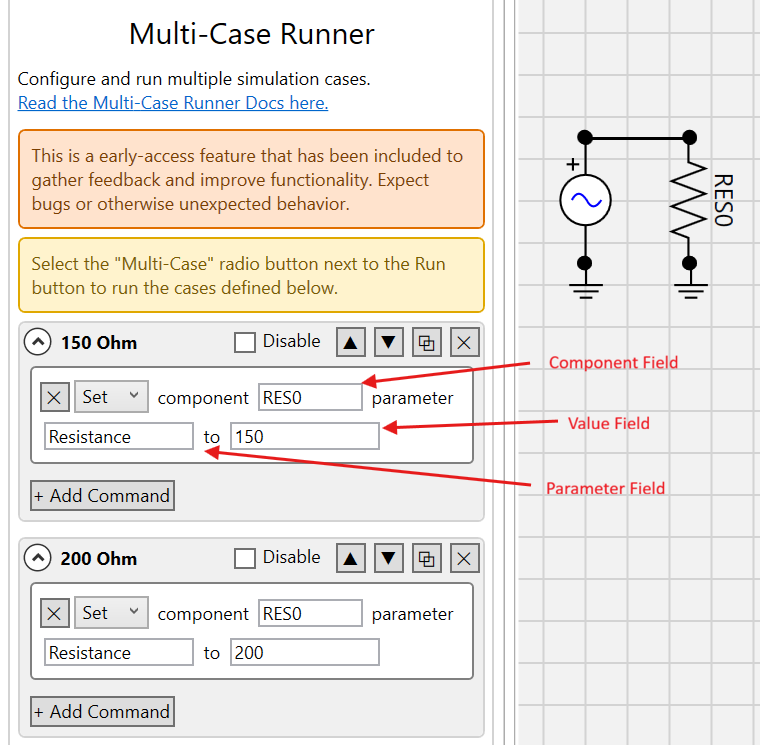
Component Field - Enter the name of the component you want to modify here.
Parameter Field - Enter the parameter name of the component you want to modify. Enter the parameter name as you see it in the component properties menu. Remove any spaces that are in the name. For instance “Resistance” or “SwitchTimes”.
Value Field - Enter the value to set the parameter to. For SwitchTimes, separate the individual times with semi colons (e.g. 1.2;1.4)
Known Limitations (as of Kestrel EMT 2026.7)
There is no validation in the input form. Make sure you enter the Component, Parameter, and Value fields in each Case Group Command correctly.
Performance will significantly degrade if you execute more simulations than CPU cores on your machine.
If Python blocks are used, performance will be degraded when running multiple simulations, especially if the Python logic is complex.
Not all component parameters will support modification, since the NetList is modified directly and the circuit is not recompiled. One example is changing a single phase circuit component into a three phase one. The new, three phase nodes will not be properly mapped.
Example Cases
cap_sw.kcf
Back-to-back capacitor switching is a common scenario that results in severe switching transients in transmission substations.
In this scenario, one capacitor bank is already energized and the second one is switched in. Observe large transient currents between the pre-energized 100 MVAr capacitor and the newly energized 80 MVAr capacitor. There are pre-configured Case Groups that demonstrate the effect of different transient limiting inductors (TLIs) to limit the current experienced by both capacitors.
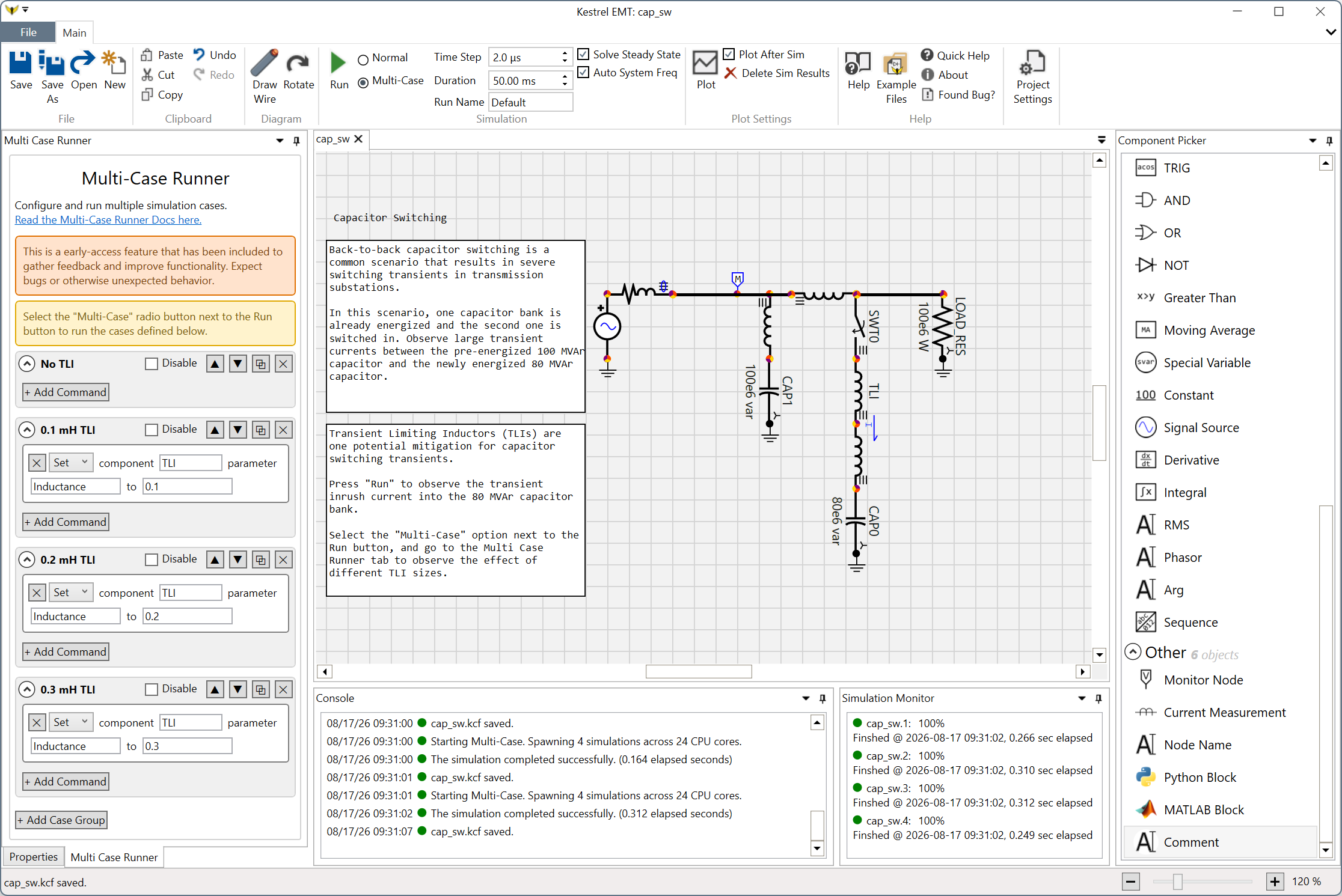
Select the “Multi-Case” option to the right of the the Run button to enable the Multi Case Runner. Go to the Multi-Case Runner tab and you will see the different scenarios that are pre defined. Press the run button and you will see the progress for all the scenarios.
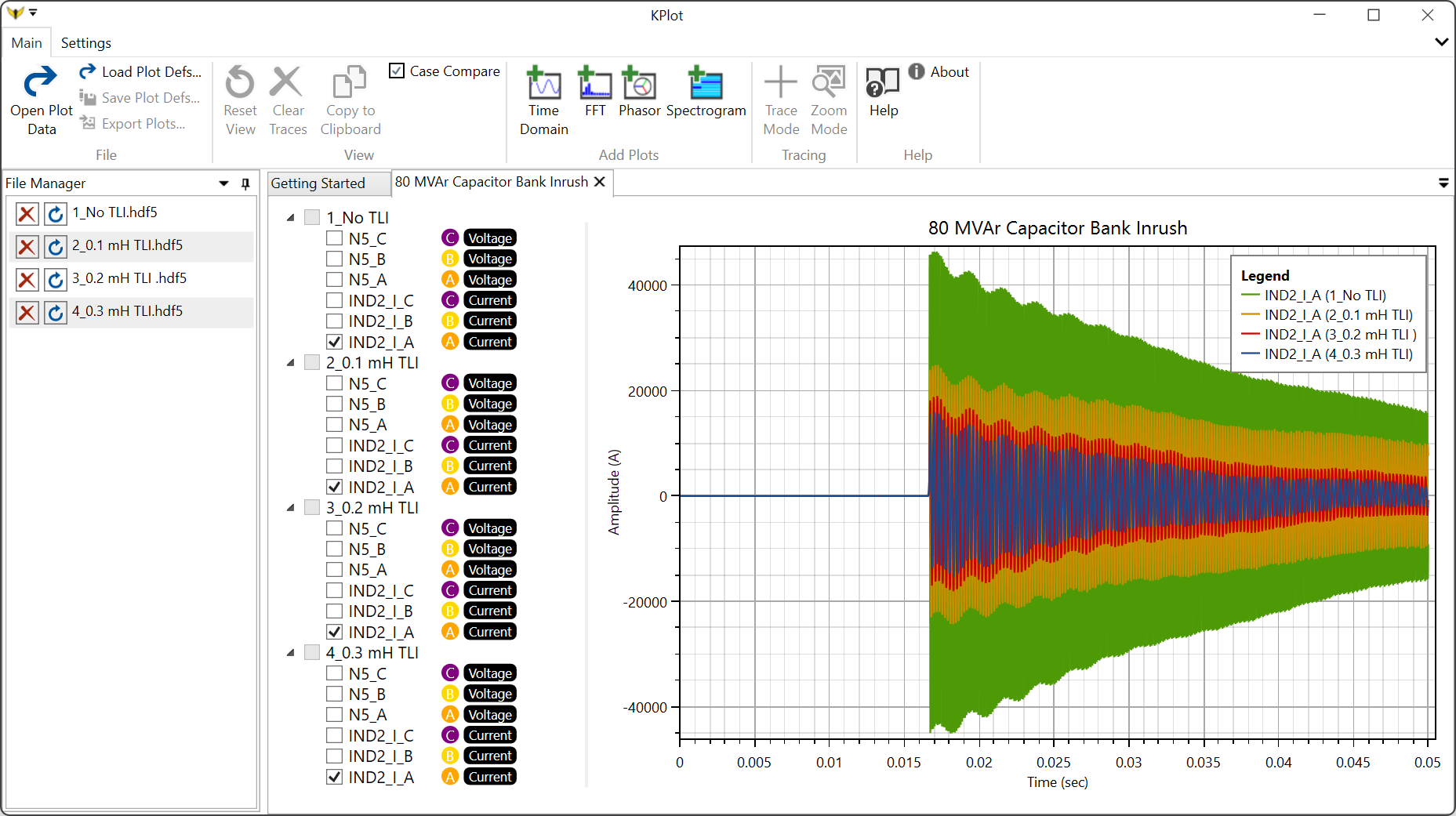
After the cases finish, press the “Plot” button to see the results. All cases will open automatically and you can compare the different transient currents (e.g. the IND2_I_A trace). Try checking the “Case Compare” checkbox, which will automatically sync your selected traces between the open cases.
pv_ibr.kcf
This case uses the EPRI Inverter Based Resource Model to in a typical single machine infinite bus model (SMIB). This model is commonly used as part of grid interconnection studies for new renewable resources.
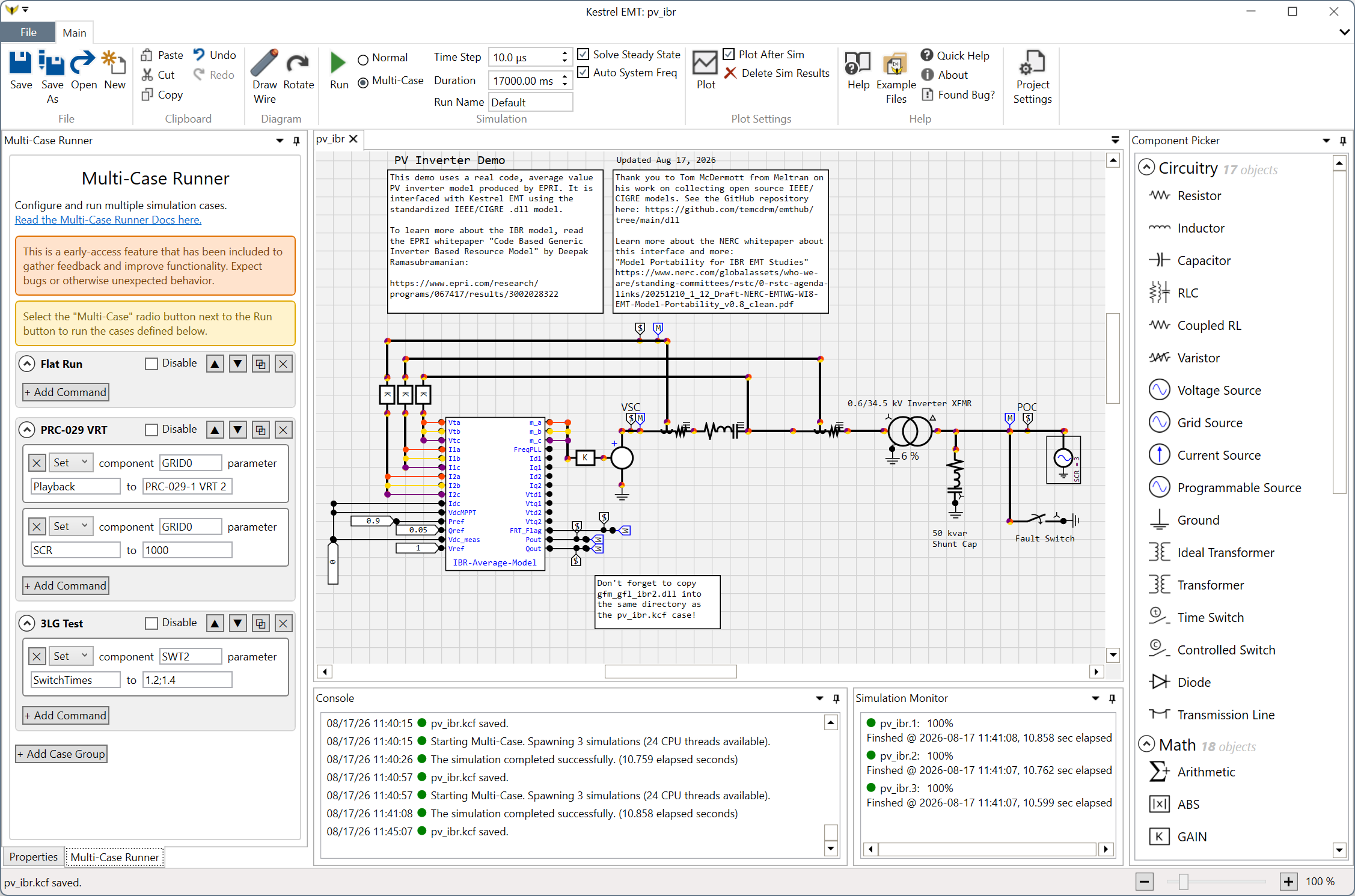
As a preliminary example, the Multi-Case Runner is configured to run three cases:
Flat Run - Run the simulation without any events
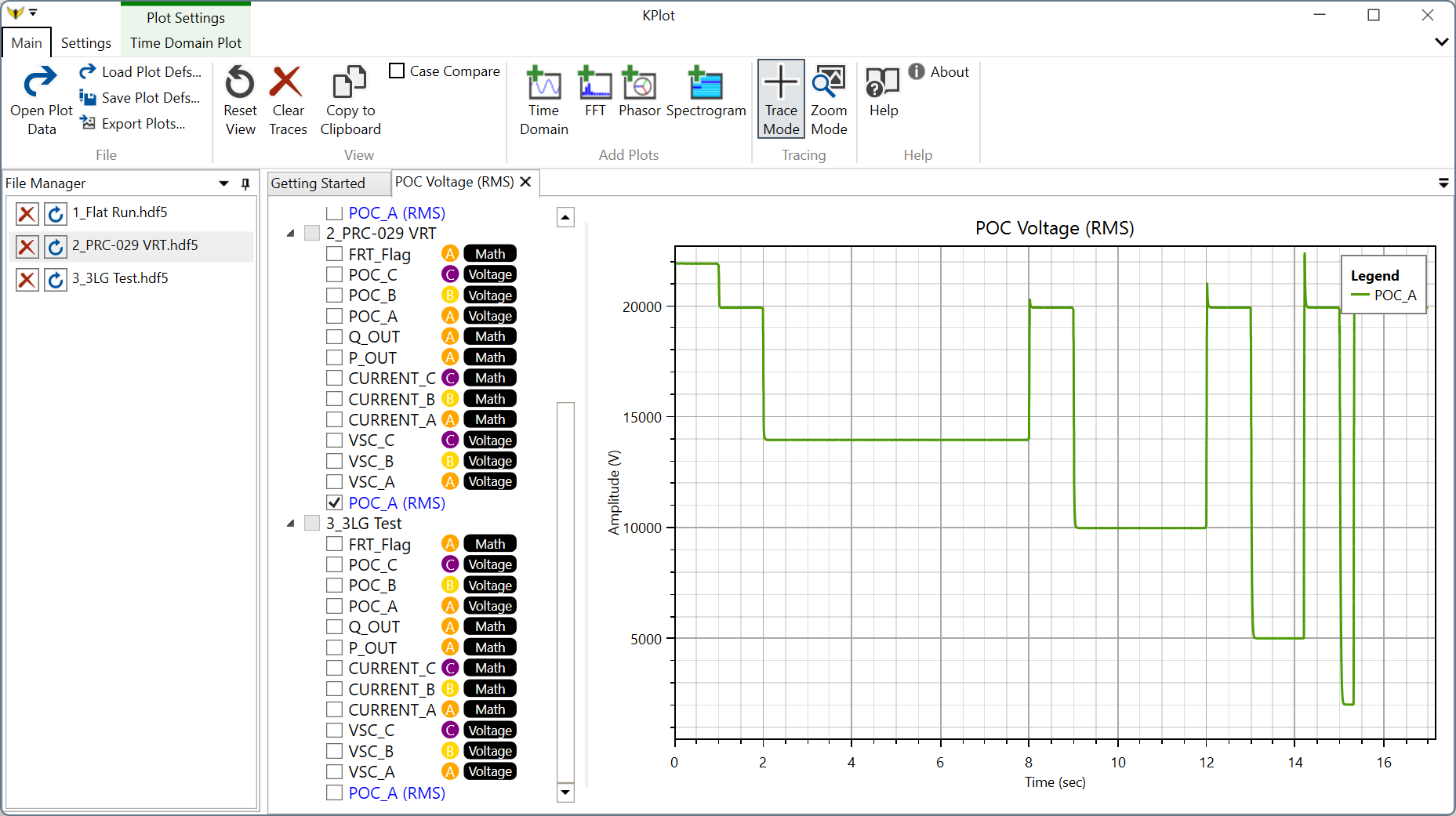
PRC-029 VRT - Voltage Ride Through scenario, per NERC PRC-029 or IEEE 2800
3LG Fault - Three phase fault at the POC node
The PRC-029 VRT case requires about 17 seconds of simulation time to run fully.